Check Process Consistency
Process consistency is especially important when creating new processes.
To perform consistency checks, go to Management > Process Versions and choose the Check Readiness operation from the context menu for the Working Version. These checks also run automatically when you click Add version to create a new process version.
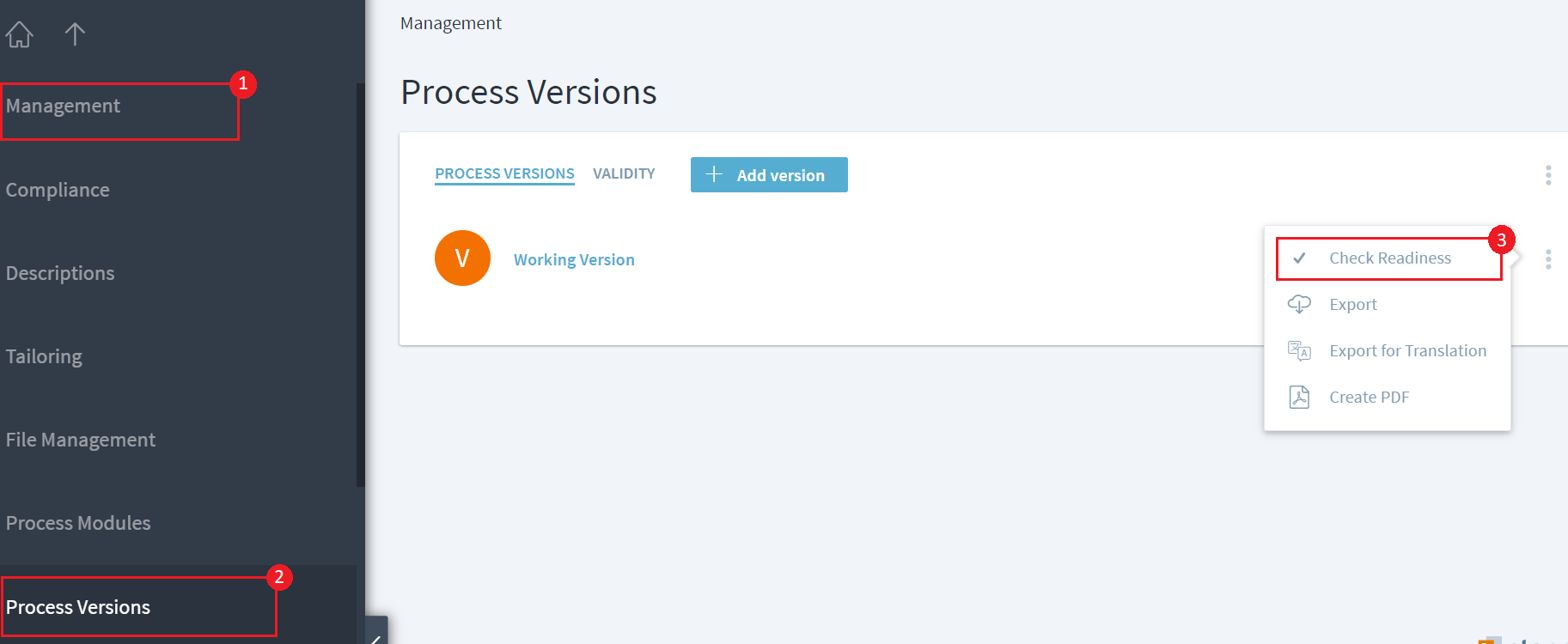
Multiple consistency checks are performed in parallel, for example:
- Does every activity have a responsible role?
- Does every process element have a description?
- Are there any unused work products or roles?
Customized consistency checks can be added upon request.
The results show a green checkmark if there are no findings, a yellow warning for minor findings that you could ignore, or an orange warning for major findings that should be corrected before release.
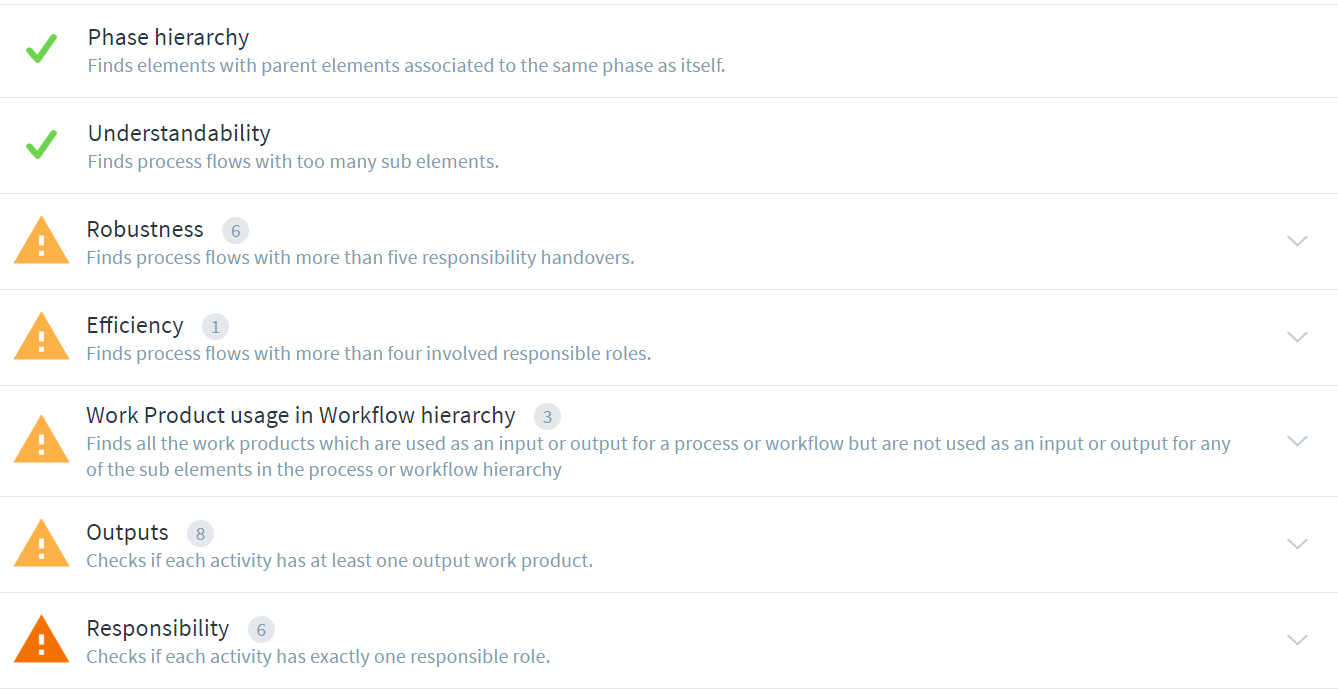
To fix inconsistencies, open the list of findings and go to the respective elements. If you are using a desktop browser, you can open the link in a new tab or new window, edit the element, and close the tab or new window again. Then use the browser reload function to re-run the consistency checks.
You can also purchase a separate Readiness Check report that can run even more consistency checks against one workspace or a hierarchy, and can generate Excel output for easier tracking. The The consistency checks and the report are both customizable; contact your Stages consultant for more information.